Training & Guide to Handling complaints & Reviews- Handover
Purpose
When dealing with customers, our goal is to understand how to help and address their concerns effectively.
This guide outlines the process and mindset for handling reviews with empathy, fairness, and professionalism.
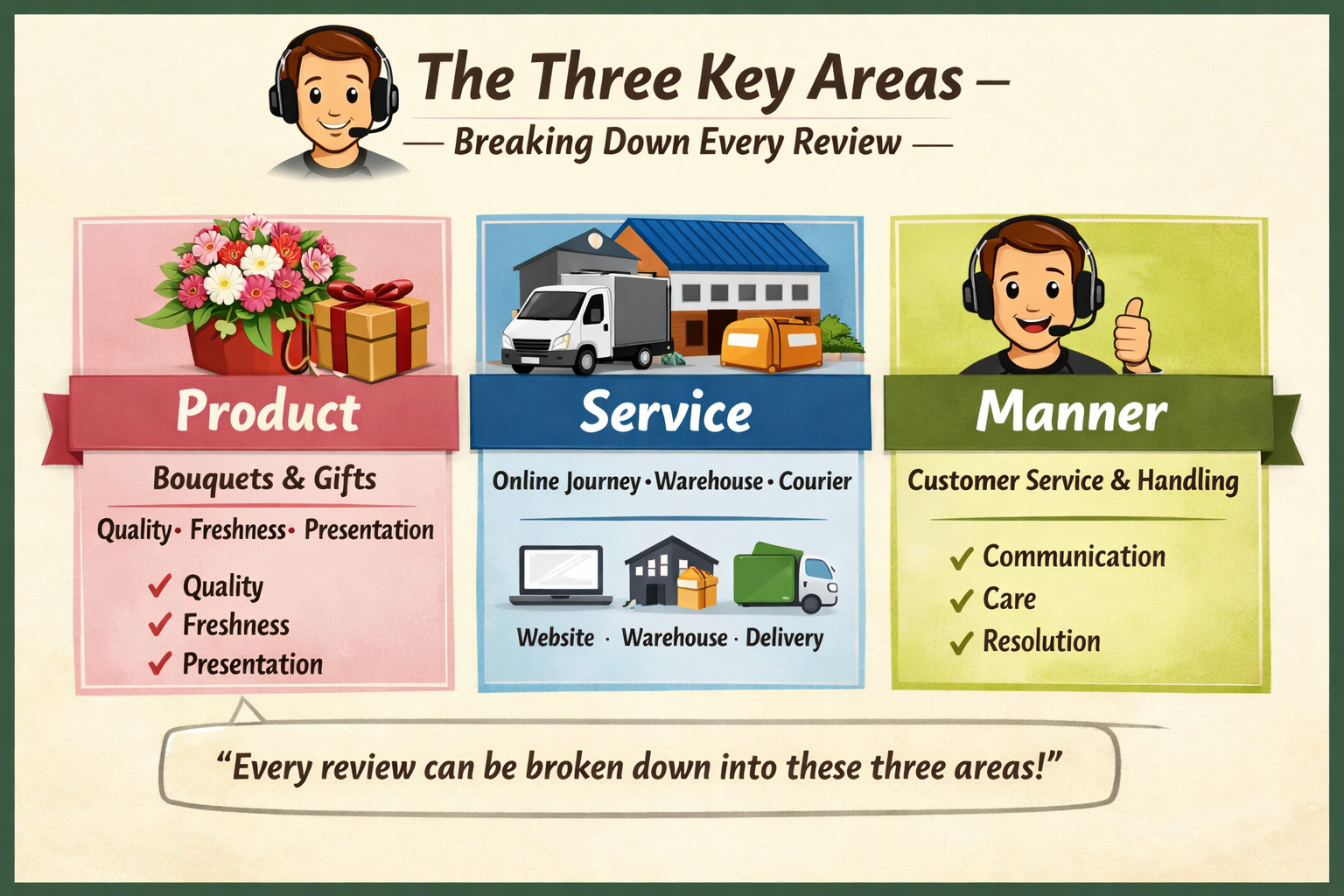
The Three Key Areas
1. Product
Our bouquets and gifts — focus on quality, freshness, and presentation.
2. Service
What we offer as a whole: the online journey, warehouse operations, and the courier that delivers our goods.
3. Manner
How we handle customer service interactions — including how the courier or warehouse team manages issues.
“Every review can be broken down into these three areas.”
⚖️ Approach to Complaints
We aim to set things straight and never view a complaint as a threat or abuse.
Every review should be treated fairly and investigated thoroughly.
If we notice a trend, escalate it to the dedicated team member responsible for bans — but only after full investigation.
Goal: Ensure customers are happy before they leave us or continue buying from us
.
Mapping the Journey
Use the following template as a private note on freshdesk for every customer review.
Review Notes Template
Issue:
What was the issue? State everything clearly.
Investigation:
What investigation have you done?
Solution:
What solution was given?
Outcome:
Was the customer happy at the end? Yes or No
Empathy in Communication
We deal with customers daily and often become too used to declining compensation.
Instead, we must understand the customer’s point of view and respond with empathy.
Consider:
Was it a special occasion?
Was the delivery late?
Did the bouquet arrive damaged or incomplete?
Feed this feedback to couriers, the warehouse, or customer service as needed.
Resolution Policy
Our policy offers:
A replacement or store credit with an extra £10, or
A refund.
For reviews, use discretion when compensating.
If the customer is frustrated, go above and beyond — for example:
Offer an upgraded replacement and add chocolates.
Provide half the amount spent as a refund plus a replacement.
Offer store credit as a goodwill gesture.
Always make it clear that this is a one‑off gesture and that we’re going above and beyond this time.
Key Takeaway
Empathy and fairness turn negative reviews into opportunities to build trust and loyalty.
Every interaction is a chance to strengthen our relationship with the customer.
Customer segments
How to understand your customer and yourself?
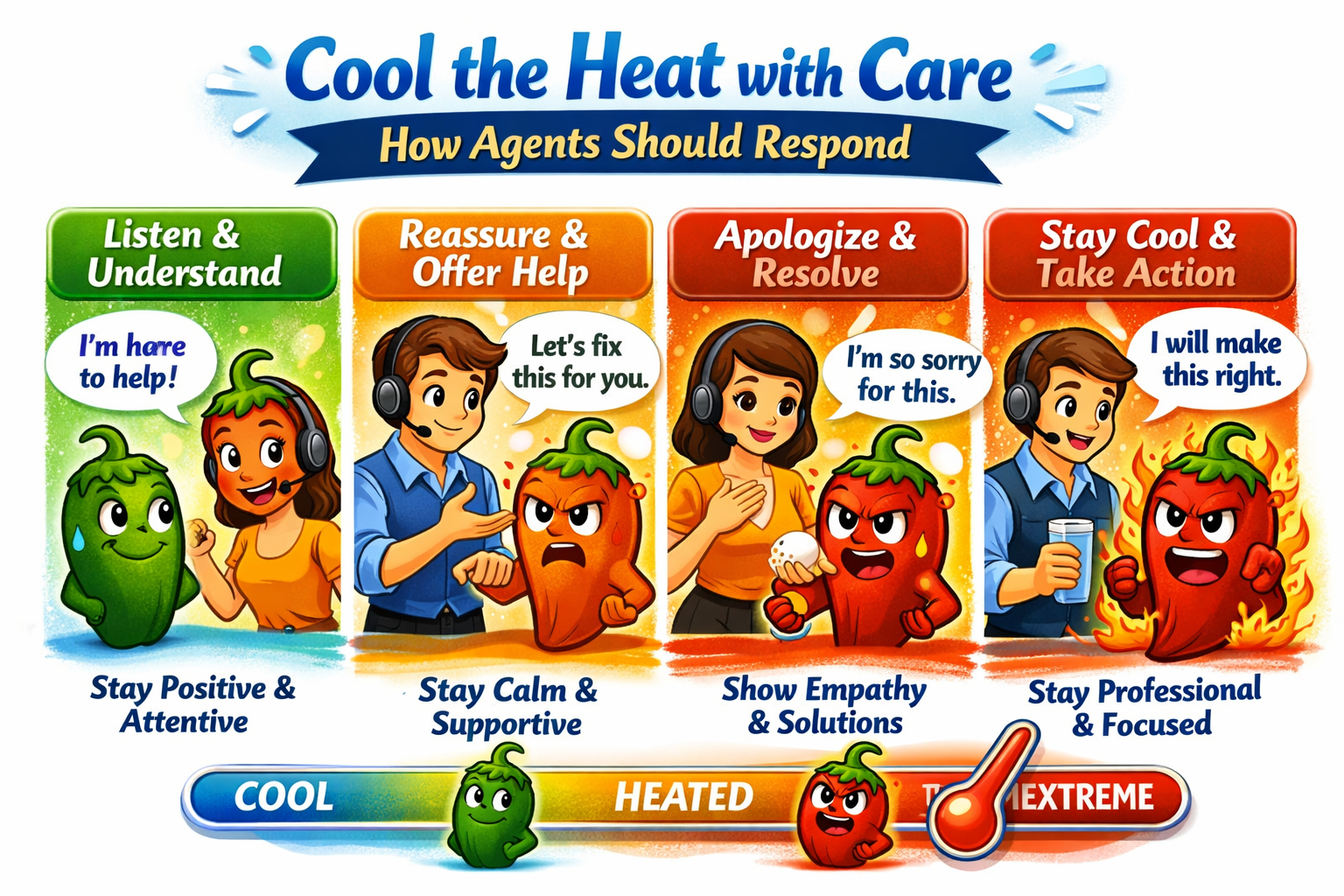
This is how we should evaluate our customer segments and tailor our responses accordingly. For mild-to-medium issues, we can offer a standard solution, but for hot-to-extreme cases, we need to go above and beyond using our own discretion.

This is how we should always behave — staying calm and cooling the heat, because empathy and composure turn frustration into trust.
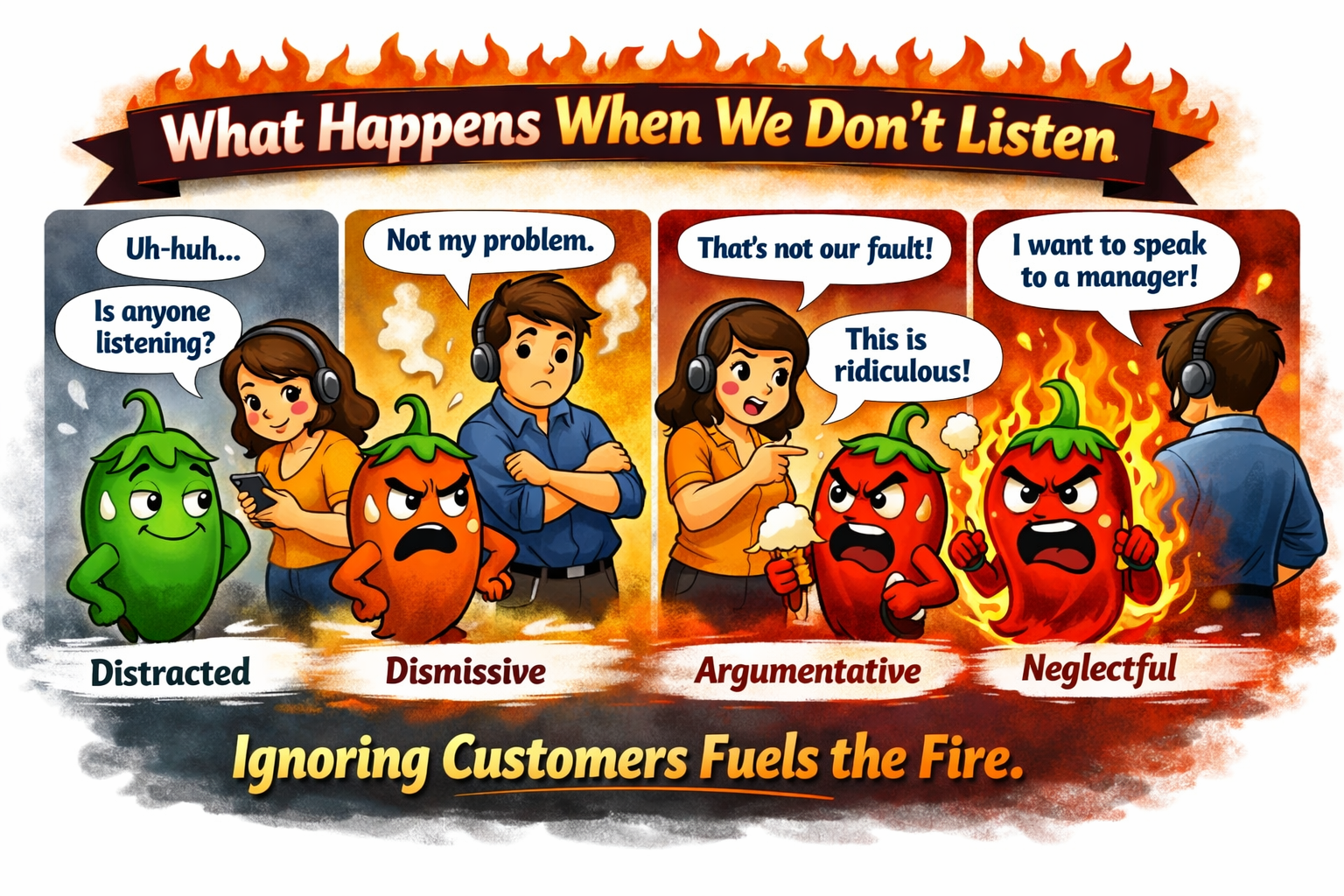
This image shows agents ignoring or dismissing customers, which causes the chilli‑hot customers to grow angrier — moving from mild frustration to full‑blown rage. ?️?
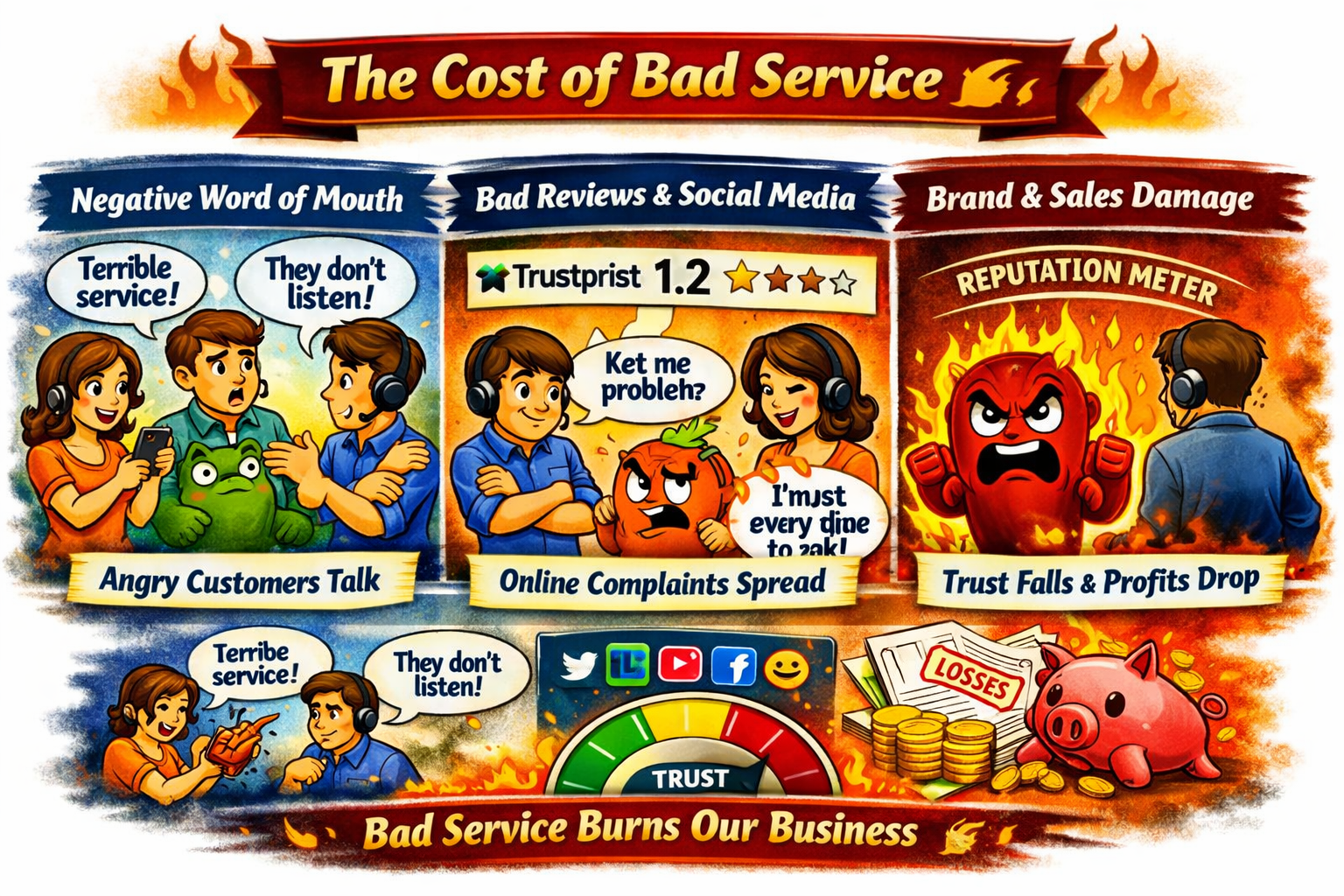
When agents ignore or dismiss customers, it sparks negative word of mouth — unhappy customers share their bad experiences with friends, family, and online communities.
? Impact on the business:
Damaged reputation: Angry customers post negative reviews on platforms like Trustpilot, lowering ratings.
Lost trust: Potential buyers read those reviews and hesitate to order.
Reduced loyalty: Existing customers stop returning, feeling unheard.
Higher recovery costs: The business must spend more time and money repairing relationships and reputation.
In short, poor listening doesn’t just upset one customer — it creates a ripple effect that harms the brand’s image and future sales.
Trustpilot- How to manage the plaform
Step‑by‑Step Process
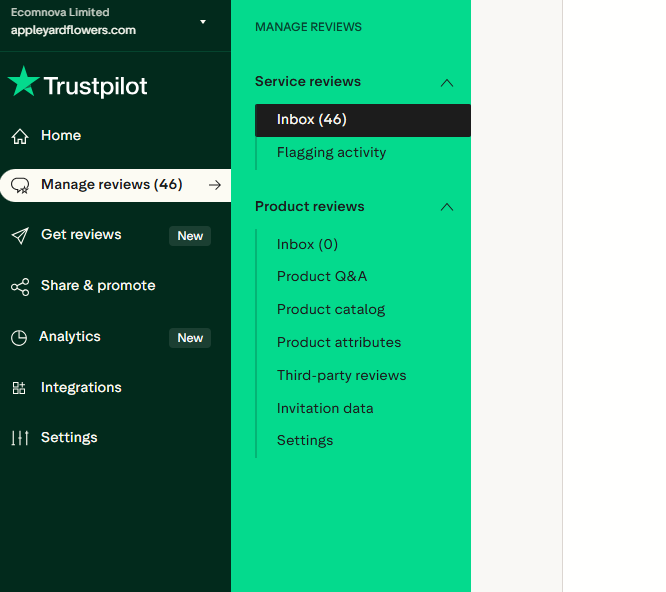
1. Log in to Trustpilot Business
Go to your Trustpilot Business account dashboard.
Navigate to the Manage reviews section — here you’ll see all customer reviews (positive and negative).
2. Select the Review
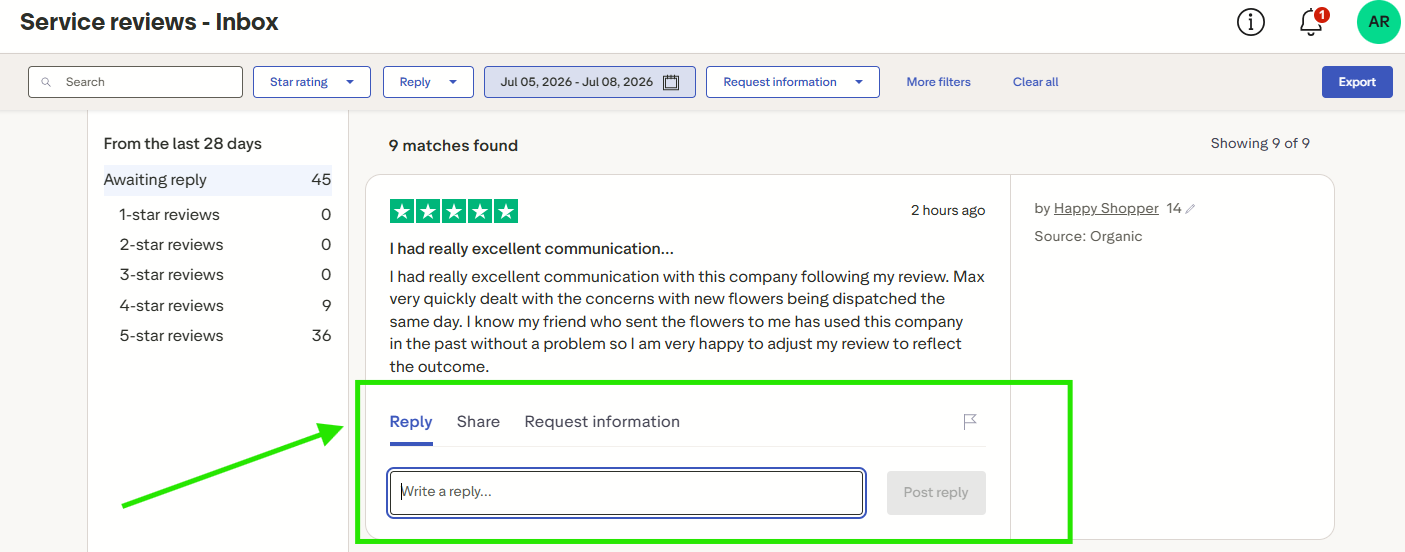
Click on the review you want to respond to.
You’ll see an option to “Write a reply….”.
Remember: this reply will be visible to everyone, so keep it professional.
3. Write a Public Response
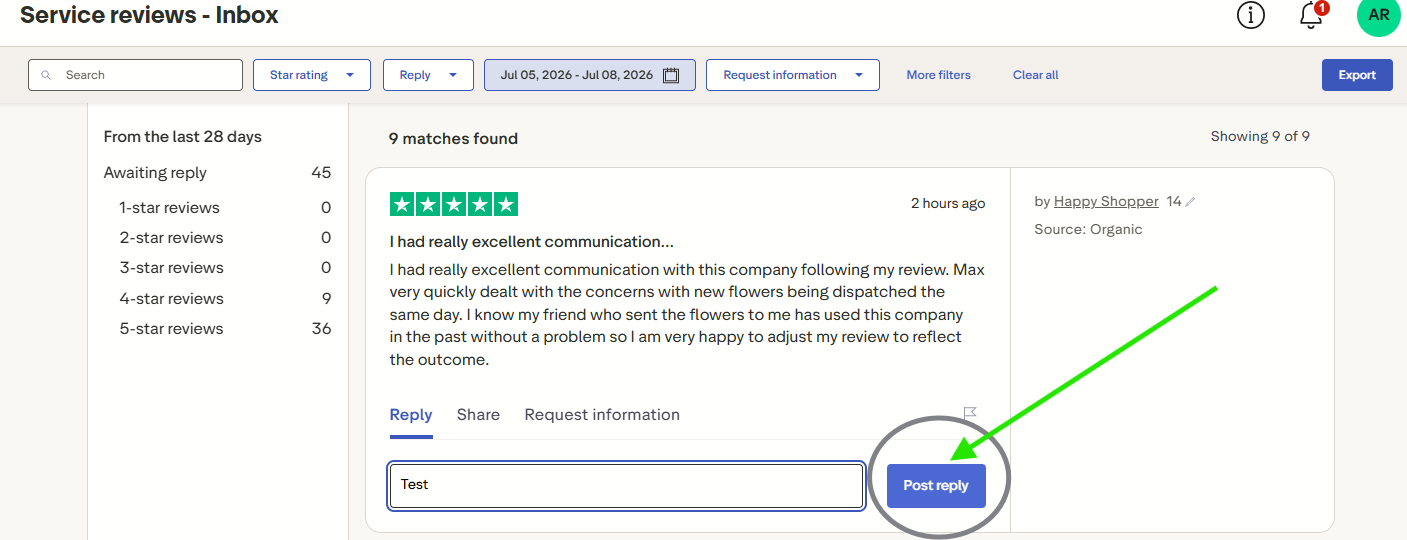
Start with a greeting and thank the customer for their feedback.
Show empathy and acknowledge their experience.
Keep the tone polite, professional, and solution‑focused.
Then click on Post Reply
Example:
4. Request Information
Do not ask for personal details (order number, address, phone) in the public reply. Instead, Use the below
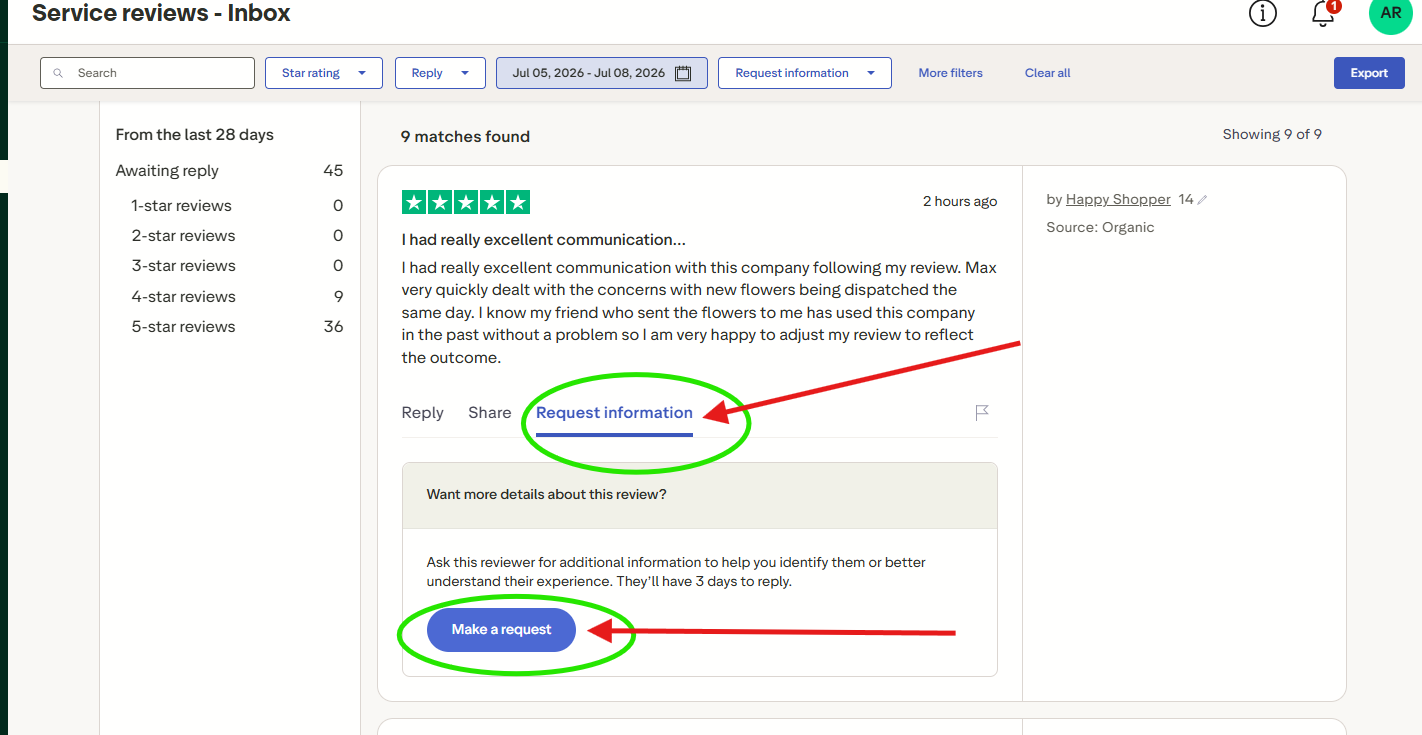
You will get this pop up - click on Send Request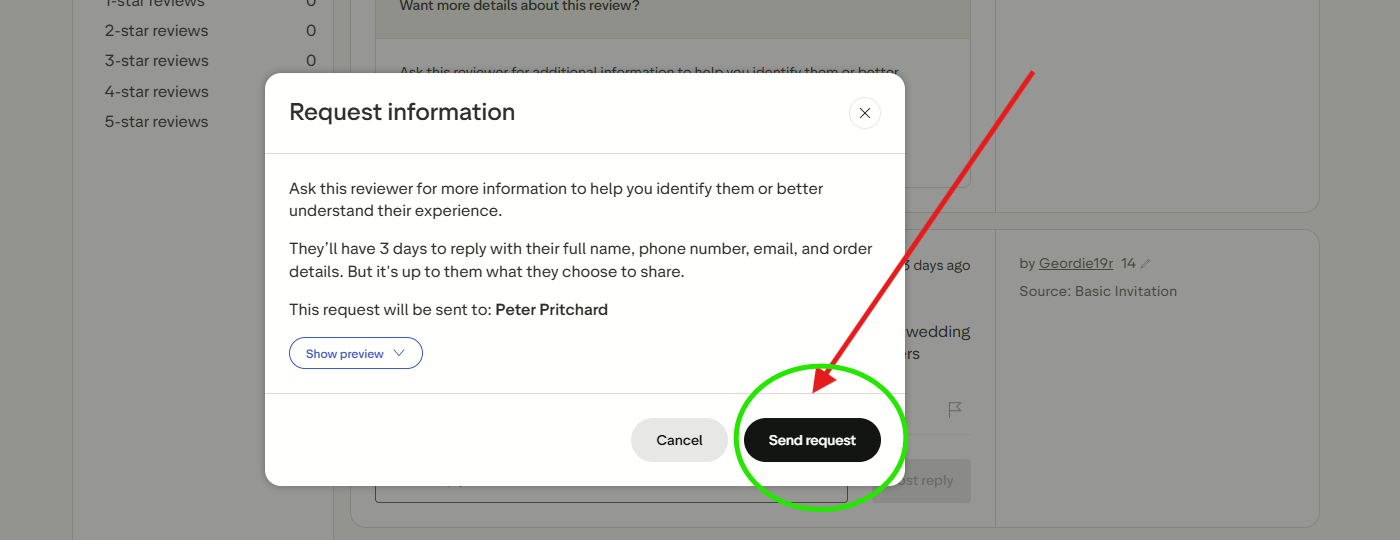
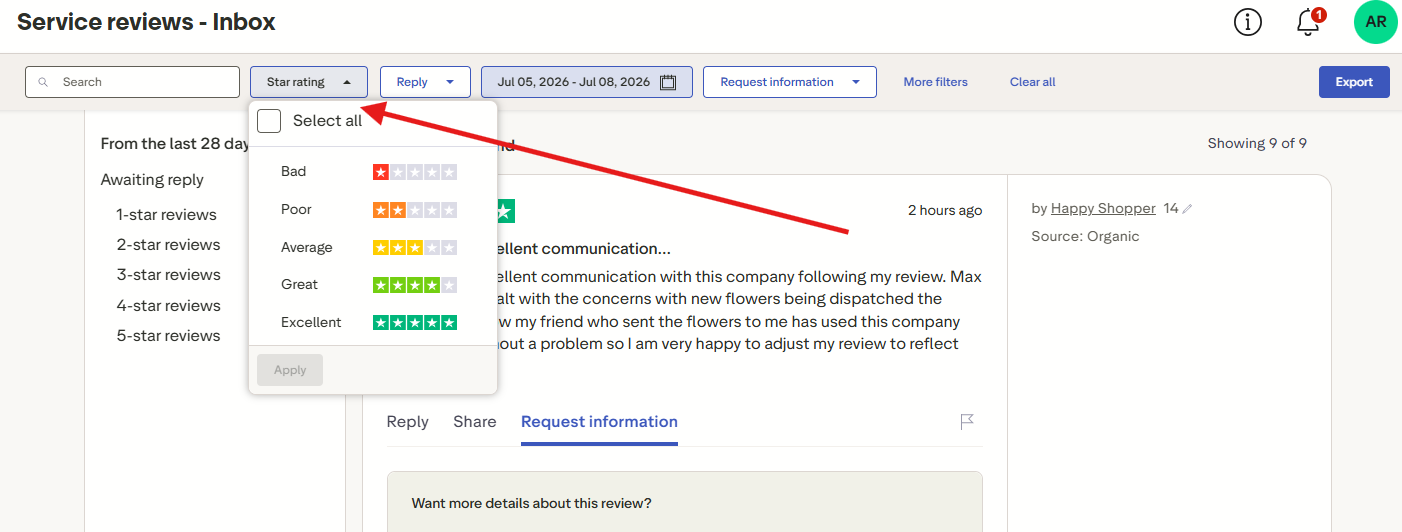
This is where you can filter information on the platform by ratings, from 1 to 5 stars
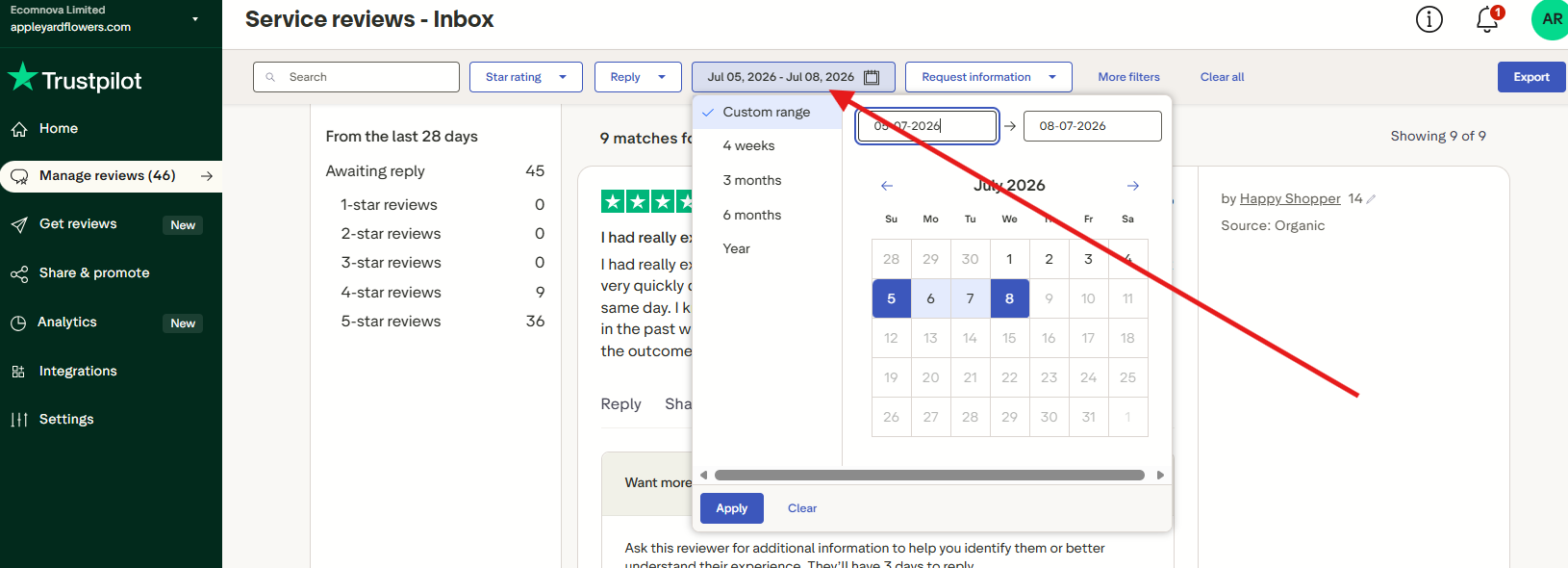
This is where you can filter date range:
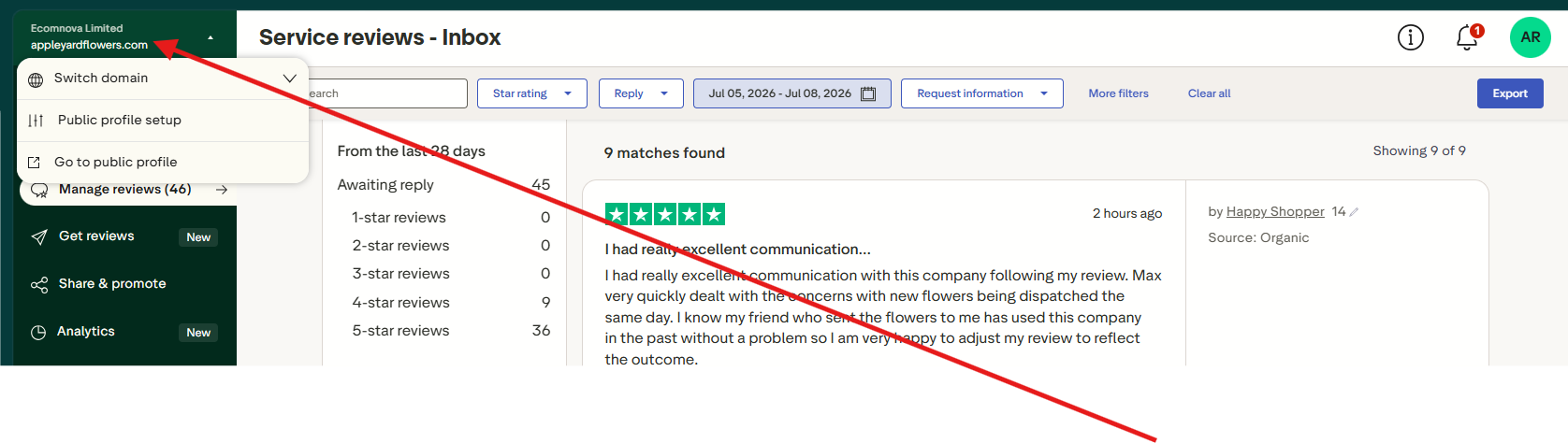
Here is how you can switch between BG and AP
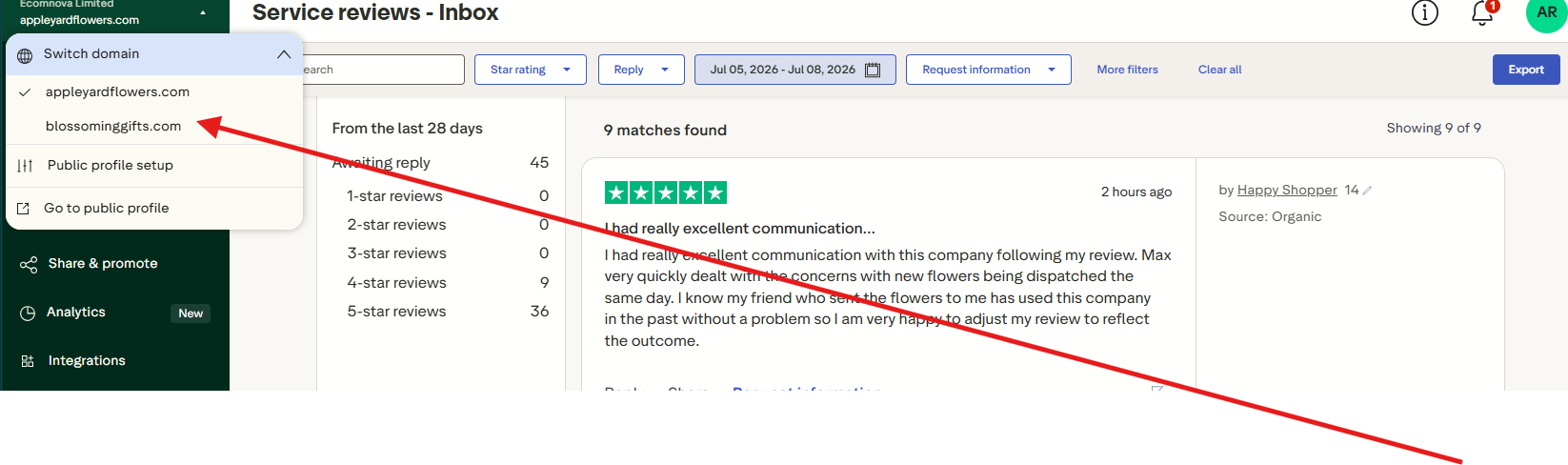
Link to the platform: Trustpilot Business : reviews@appleyardlondon.com
Reviews.io
Step 1 – Log In to Reviews.io
Go to Reviews.io and click Business Login.
Enter your company credentials to access your dashboard.
You’ll land on the Review Management page showing all customer reviews.
Step 2 – Navigate to “Reviews”
In the left‑hand menu, select Reviews → Company Reviews or Product Reviews.
You’ll see a list of reviews with filters at the top.
You can filter by rating (1–5 stars), date, status, or review type.
Step 3 – Select a Review
Click on the review you want to respond to.
You’ll see the customer’s rating, comment, and any attached photos.
On the right side, you’ll find the “Reply” box for your public response.
Step 4 – Write a Public Response
Start with a greeting and thank the customer for their feedback.
Show empathy and acknowledge their experience.
Keep your tone professional and positive there is a Auto generate a response you can also use that feather and reply
How to Find Customer Email on Reviews.io
Log in to your Reviews.io Business Dashboard.
Go to Reviews → Company Reviews or Product Reviews.
Click on the review you want to check.
In the review details panel, look for the “Reviewer Information” section.
If the review is verified (linked to an order), the customer’s email address will be shown here.
Freshdesk
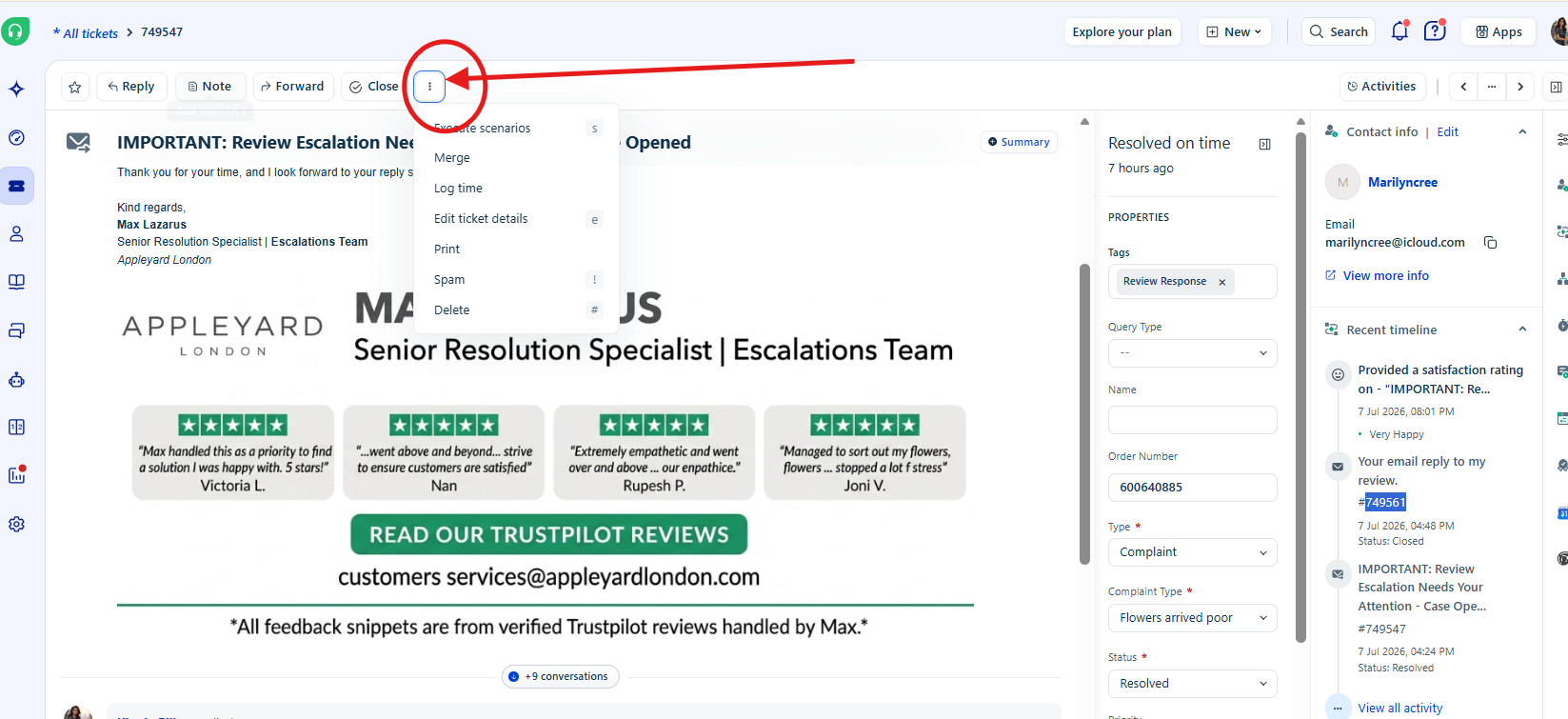
-Use tags on freshdesk to make all review responses easy to access and to prioritize for quicker replies
-Please use Review Response always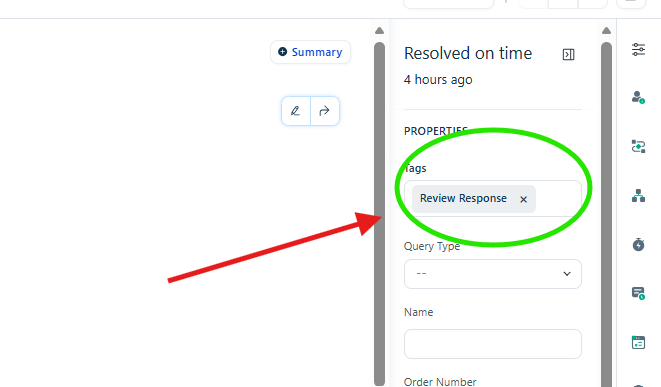
-You can also group them to Reviews or Escalations 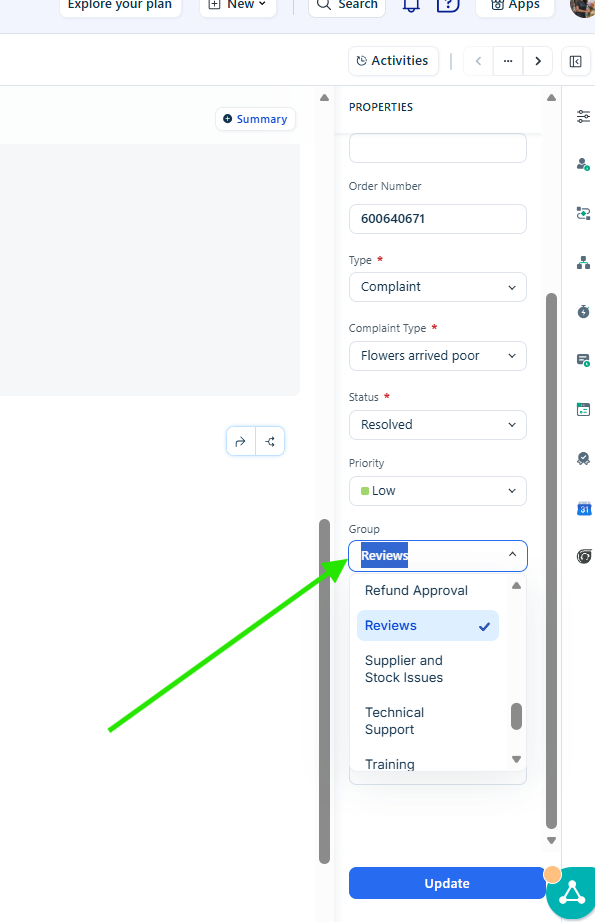
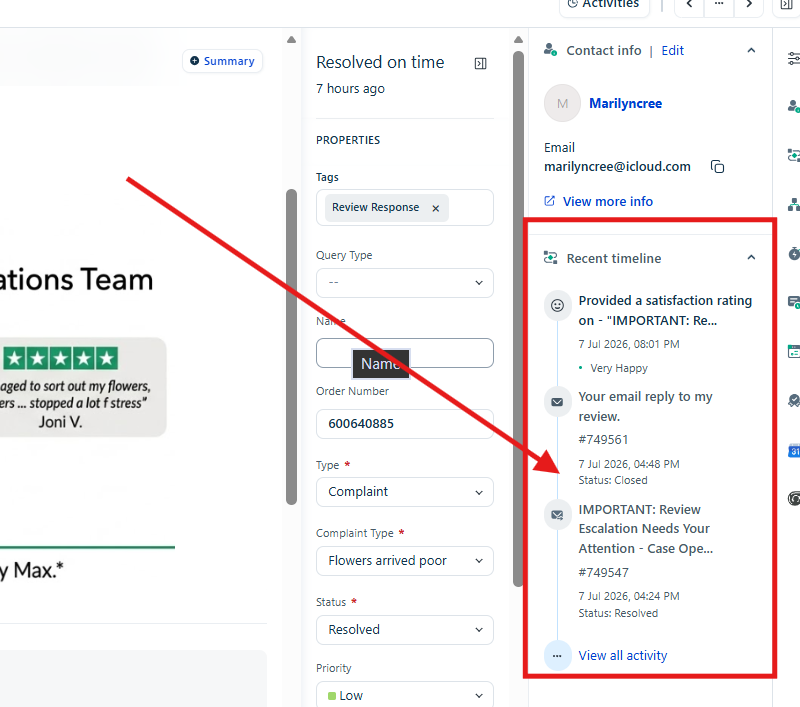
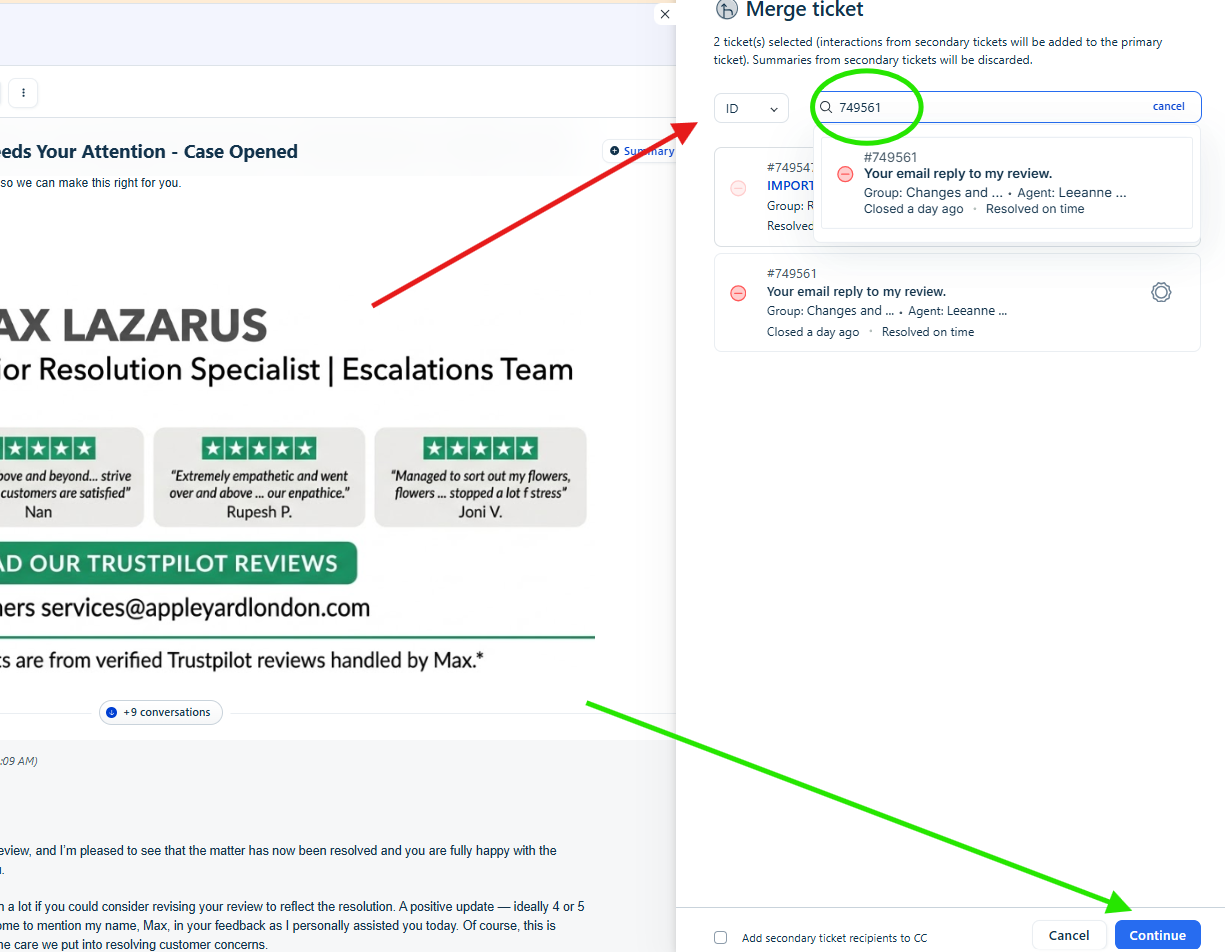
-Merging tickets is very important as it prevents duplicated work and avoids multiple different queries coming in separately. If you see more than one ticket opened, copy the ticket numbers, merge them into one, and continue. Below is steps on this
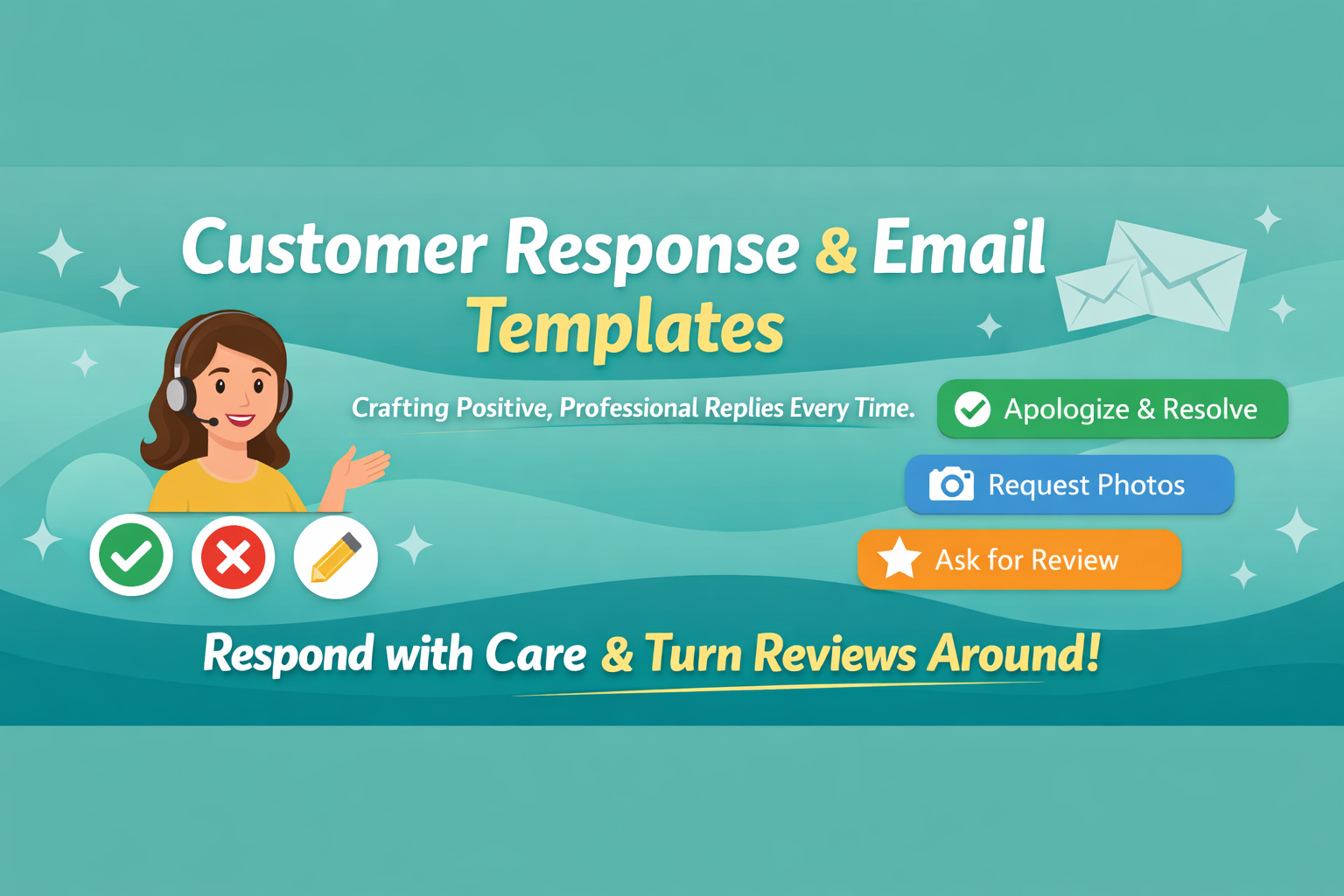
Universal Complaint Response Template – Reviews Escalations Team
Subject:IMPORTANT: Review Escalation Needs Your Attention - Case Opened
Hi [Customer Name],
I’m reaching out from the Reviews Escalations Team as I noticed you left a negative review. First, I want to sincerely apologise for the disappointment you’ve experienced — I completely understand how frustrating this must have been.
Please know that we take every review seriously. Your feedback has already been passed on to the relevant teams, and action will be taken to prevent this happening again. At the same time, I’d really like the chance to help turn this around for you.
As a solution, we’d be happy to [offer replacement/refund/goodwill gesture depending on case]. Please let us know what works best for you so we can resolve this quickly.
We value your trust and are committed to making sure your next experience is perfect.
Best regards,
[Your Name]
Reviews Escalations Team
Reviews Template – Asking for pictures
Subject:IMPORTANT: Review Escalation Needs Your Attention - Case Opened
Hi [Customer Name],
Thank you for sharing your feedback — I fully understand your point and I’m very sorry to hear about your experience. To help us investigate this properly and provide constructive feedback to our floristry and courier teams, could you please send us images of the bouquet or any damaged items?
Once we’ve received these, I’ll personally review everything and come back to you with the most appropriate resolution. My goal is to turn this review around for you, so please get back to me — I’m here to help.
Kind regards,
[Your Name]
Reviews Escalations Team
Trustpilot Review Request Template – After Resolution
Subject: Thank You for Allowing Us to Assist
Hi [Customer Name],
It was a pleasure assisting you today. We strive to provide the best service possible, and your feedback helps us achieve that goal.
Could you please take a moment to leave a review on Trustpilot with a possible 5‑star rating? You can also mention my name in your review — it would be greatly appreciated. Your insights are invaluable to us and future customers.
Appleyard Flowers Trustpilot Link
OR
Blossoming Gifts Trustpilot Link
Thank you for your support!
Kind regards,
[Your Name]
Reviews Escalations Team
Was this article helpful?
That’s Great!
Thank you for your feedback
Sorry! We couldn't be helpful
Thank you for your feedback
Feedback sent
We appreciate your effort and will try to fix the article